
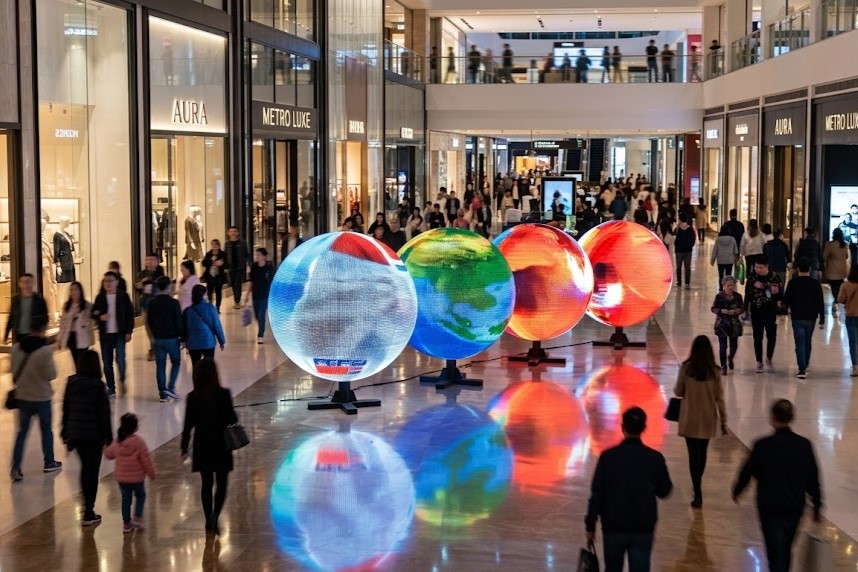
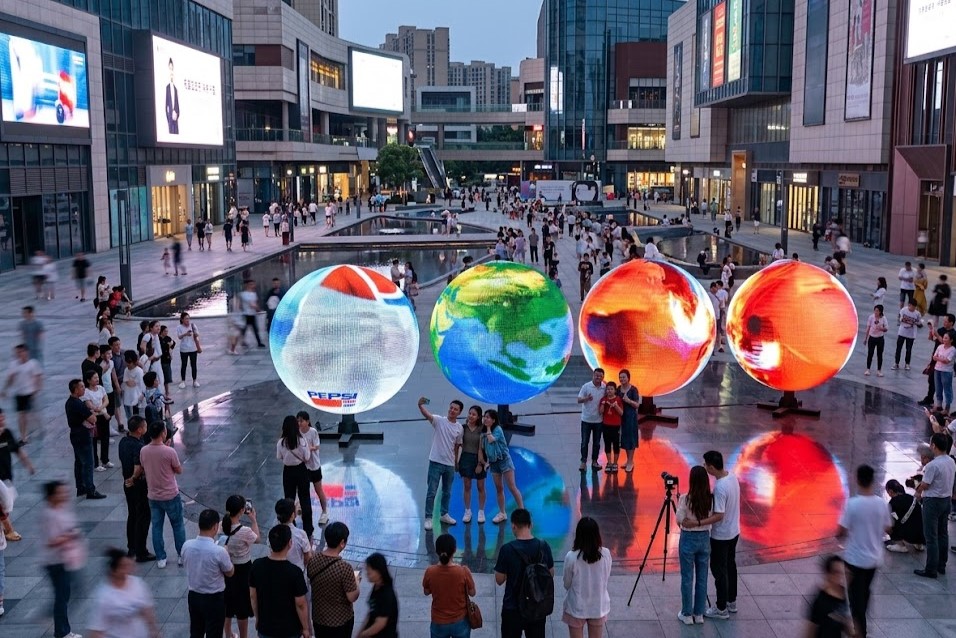
Commercial event organizers and retail designers frequently incorporate striking visual technology into their spaces. Consequently, a spherical LED display immediately captures audience attention and simultaneously elevates the overall architectural atmosphere. However, procurement managers understandably ask a critical, valid question: “While it looks incredible, will this creative screen subsequently consume massive amounts of electricity and ultimately inflate our maintenance budgets?”
Therefore, calculating the exact long-term economic impact proactively prevents unexpected facility expenses. Specifically, understanding the daily power draw and hardware replacement cycles directly ensures a maximum return on investment. Subsequently, this technical breakdown explicitly analyzes the actual electricity costs and the realistic lifespan of a standard 1.5m P3.91 spherical LED display.
1. Calculating Annual Electricity Consumption for a 1.5m Sphere
To begin with, engineers must determine the exact physical surface area of the equipment. Consequently, for a sphere measuring 1.5m in diameter, the total display surface strictly equals approximately 7.07m^2. Furthermore, modern P3.91 modules consistently operate with an average power consumption rating of ≤ 240W/m^2.
Therefore, we can accurately calculate the total power draw for the entire unit. Accordingly, the average operational power lands at approximately 1,700W. Conversely, the absolute peak maximum power (which occurs when displaying full white at maximum brightness) reaches roughly 5,300W.
If your commercial facility actively runs the screen for 8 hours every day, the annual electricity usage falls into a predictable range. Consequently, the yearly consumption will range from 4,960kWh (under normal average loads) up to 15,480kWh (under continuous peak maximum loads). Ultimately, deploying smart brightness sensors significantly reduces these operational expenses by automatically adjusting the output to match ambient lighting.
2. Analyzing the 50,000-Hour Lifespan Claim and True Maintenance Cycles
Many manufacturers aggressively advertise extreme lifespans, which understandably makes commercial buyers skeptical. Indeed, high-quality LED beads feature a theoretical operational lifespan of ≥ 100,000 hours. Therefore, if you operate the display for 8 hours daily, the raw diodes could theoretically survive for more than 34 years.
However, a complete LED system contains much more than just light-emitting diodes. Specifically, the internal driving power supplies, receiving cards, and control systems endure continuous thermal stress. As a result, these critical electronic components typically require physical replacement every 5 to 8 years.
Consequently, while the LED modules themselves provide decades of reliability, facility managers must purposefully budget for periodic internal hardware upgrades. Moreover, implementing proactive thermal management and proper ventilation dramatically extends the active life of these sensitive internal components.
| Component Category | Expected Lifespan | Primary Maintenance Requirement |
| P3.91 LED Beads | ≥ 100,000 hours | Routine surface cleaning |
| Driving Power Supplies | 5 to 8 years | Scheduled replacement cycles |
| Control Systems | 5 to 8 years | Firmware updates and hardware swaps |
Conclusion: Partnering with LIHE for Sustainable Display Solutions
In conclusion, deploying a creative spherical screen does not automatically ruin your facility’s energy budget. Furthermore, distinctly understanding the difference between LED lifespan and power supply replacement cycles allows you to plan your maintenance accurately.
Therefore, you should always source your equipment from established manufacturers who actively utilize high-efficiency power management systems. We at LIHE uniquely specialize in engineering premium LED display solutions that perfectly balance stunning visual brightness with strict energy conservation. Contact our technical sales team today to promptly receive a customized power consumption analysis for your specific installation environment.

Add comment