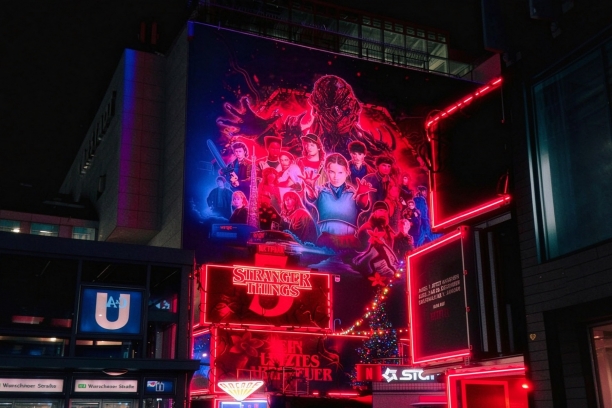
Hanging LED video walls are widely used at concerts, exhibitions, conferences, and indoor live events. However, building a stable display requires more than connecting individual cabinets and adjusting image settings. Installers must consider cabinet weight, mechanical connections, suspension arrangements, power distribution, and signal transmission. A properly planned LED stage rental screen installation can improve visual consistency while reducing potential risks during setup and operation.
1. Check Cabinet Weight and Structural Compatibility Before Installation
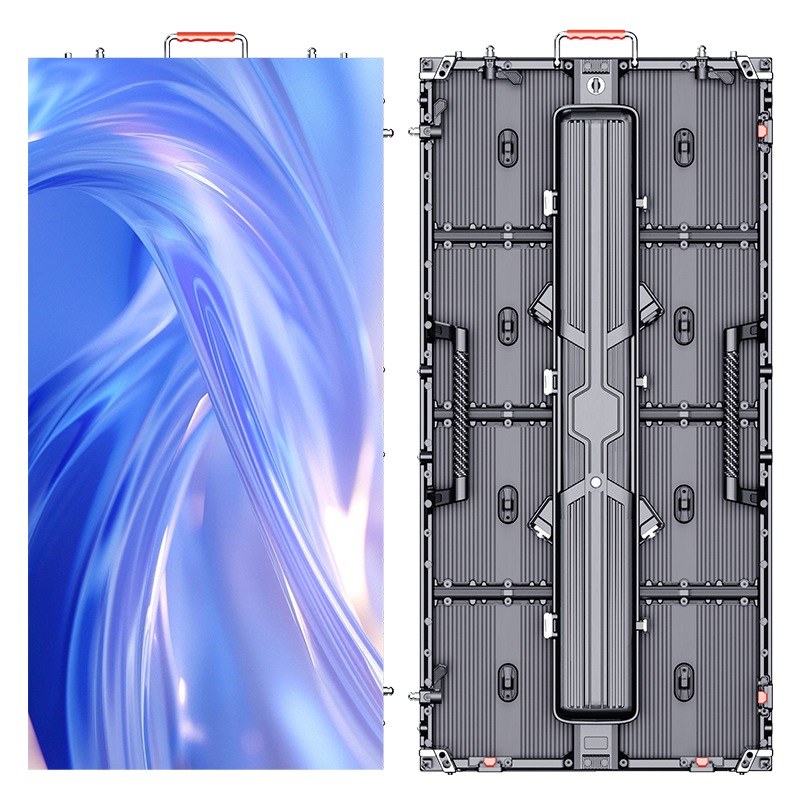
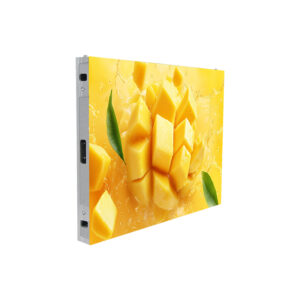
The first step is to understand the physical structure of each LED cabinet and determine whether the supporting structure is suitable for the planned installation. Cabinet weight directly affects the total suspended load, especially when multiple panels are assembled into a large video wall. Therefore, installers should calculate the combined weight of all cabinets and consider the additional loads from cables, rigging equipment, and other accessories. The 500 × 1000 mm die-cast aluminum cabinet used in this SMD indoor display weighs 15 kg per panel, providing a clear reference for initial weight calculations.
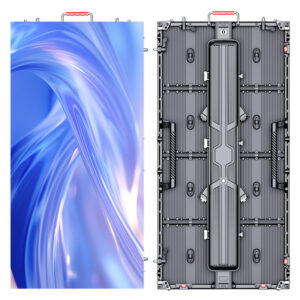
Moreover, a die-cast aluminum rental LED panel offers a practical combination of structural strength and heat dissipation. Its lightweight construction can make transportation and handling more convenient. Nevertheless, cabinet weight alone does not establish whether a hanging arrangement is safe. Before installation, the rated load capacity of the truss, suspension hardware, connection points, and other supporting components must be verified by qualified rigging professionals.
2. Select Suitable Cabinet Connections for Stable Assembly
Mechanical connections play an important role in keeping adjacent LED cabinets aligned. If cabinets are not properly connected, gaps, uneven surfaces, or movement between panels may affect the appearance of the finished display. Consequently, installers should inspect every connection point and follow the manufacturer’s approved assembly instructions. A consistent installation sequence also helps reduce alignment problems when constructing a large rental LED video wall.
The SMD indoor LED display features a soft connection method designed to reduce mechanical stress and support long-term stability. Its modular structure also makes individual modules easier to access during maintenance. However, a soft electrical or module connection should not be treated as a substitute for dedicated structural locking or suspension hardware. Installers must confirm that the actual hanging system uses suitable mechanical components to secure the cabinets.
3. Plan Hanging Loads and Installation Procedures Carefully
A safe hanging arrangement begins with an appropriate installation plan. Before lifting the display, the project team should determine the required screen dimensions, cabinet quantity, total suspended weight, suspension positions, and installation height. In addition, the supporting truss and rigging equipment should be selected according to verified load calculations and applicable venue requirements. Never assume that a cabinet suitable for fixed installation automatically meets the requirements of every hanging configuration.
For an LED stage rental screen, the installation team should also establish a controlled lifting procedure. This includes checking the condition of lifting equipment, inspecting mechanical connections, restricting access to the lifting area, and confirming that the display is properly secured before operation. Where necessary, qualified structural or rigging professionals should review the installation plan. These precautions are especially important for temporary event structures that may be assembled and dismantled frequently.
4. Verify Power Distribution and Signal Transmission
A stable LED video wall depends on reliable electrical and signal connections. Poor cable management, overloaded circuits, or loose connectors can cause display interruptions and make troubleshooting more difficult. Therefore, installers should plan power distribution and signal routing before assembling the complete screen. They should also verify the available power supply, cable condition, grounding arrangements, and the requirements of the selected control system.
The display supports an AC input voltage of 100–240V ±10% and an input frequency of 50–60 Hz. Its maximum power consumption is 600 W/㎡, while typical power consumption is 200 W/㎡. For signal transmission, CAT5 cable supports distances up to 100 m, while single-mode fiber supports distances up to 10 km. These values help project planners evaluate electrical and transmission requirements, although the final configuration should always account for the actual screen size and connected equipment.
5. Consider Image Quality, Operating Conditions, and Maintenance
Mechanical stability is essential, but visual performance also determines the quality of an event display. Pixel pitch, brightness, viewing angle, grayscale, and refresh rate should match the venue and content requirements. For example, an LED stage rental screen with a P3 rental LED display configuration can provide detailed images for medium viewing distances and indoor event environments.
The SMD indoor display uses a 3.91 mm pixel pitch and provides a pixel density of 65,536 pixels per square meter. Its brightness is 550 nits, with horizontal and vertical viewing angles of 140°. In addition, a refresh rate of at least 3840 Hz supports smooth image presentation and camera-friendly performance. Before each event, technicians should inspect the modules, connectors, power cables, and control signals to identify potential issues early.
Key Technical Specifications for Installation Planning
| Parameter | Specification | Installation Relevance |
|---|---|---|
| Pixel Pitch | 3.91 mm | Supports medium-distance viewing |
| Pixel Configuration | SMD2020 | Provides consistent image output |
| Pixel Density | 65,536 pixels/㎡ | Supports detailed visuals |
| Cabinet Dimensions | 500 × 1000 × 78 mm | Helps calculate screen layout |
| Cabinet Material | Die-cast aluminum | Supports structural strength and heat dissipation |
| Cabinet Weight | 15 kg/panel | Helps estimate suspended weight |
| Module Dimensions | 250 × 250 × 16 mm | Supports modular maintenance |
| Refresh Rate | ≥ 3840 Hz | Supports smooth video and camera capture |
| Grayscale | 14–16 bit | Supports smooth color transitions |
| IP Rating | IP31 / IP31 | Designed for indoor environments |
| Working Temperature | -20℃ to +50℃ | Defines the stated operating temperature range |
Additional Checks Before Opening an Event
Before the display is handed over for use, the installation team should complete several practical checks:
- Mechanical inspection: Confirm that cabinet connections and approved suspension components are correctly installed.
- Load verification: Review the total suspended weight and confirm that the supporting structure meets the required capacity.
- Electrical inspection: Check power cables, connectors, input voltage, and distribution arrangements.
- Signal testing: Verify image output across the entire screen and inspect for abnormal flickering or signal loss.
- Environmental checks: Confirm that operating temperature and humidity remain within the product’s specified ranges.
Conclusion
Building a safe and stable hanging LED video wall requires careful planning across structural support, cabinet connections, lifting procedures, electrical systems, and display performance. The 3.91 mm pixel pitch, die-cast aluminum cabinet, and high refresh rate of this SMD indoor display support professional indoor event applications. By following these five installation considerations, project teams can improve assembly consistency and reduce avoidable operational problems. Lihe Opto LTD provides the SMD Indoor LED Display as an LED stage rental screen solution for projects requiring flexible fixed or hanging installation and reliable indoor visual performance.
Add comment